Video gallery functionality is one of the most critical elements when building a WordPress site focused on video content. Whether you’re a YouTuber, educator, marketer, or agency, the plugin you choose for your video gallery can make or break the overall visitor experience.
The default WordPress media player is bare-bones. It plays a file. That’s it. For anyone who needs organized, branded, fast-loading video galleries with real-world features like YouTube feed integration, SEO schema markup, lazy loading, and responsive layouts, you need a dedicated plugin.
In this article, we’ve compared the most capable WordPress video gallery plugins available in 2026 — covering features, performance, ease of use, and pricing — so you can make the right choice for your site.
What to Look for in a WordPress Video Gallery Plugin
Before we get into the comparison, here’s what separates a great video gallery plugin from a mediocre one:
Performance. Video-heavy pages can easily become bloated. A good plugin loads assets smartly — only when needed, with lazy loading and smart caching built in.
Video source support. You shouldn’t be locked into one platform. Look for plugins that support YouTube, Vimeo, TikTok, self-hosted MP4, HLS streams, and more.
SEO readiness. Schema.org VideoObject markup, semantic HTML5, and fast load times all directly affect how Google indexes and ranks your video content.
Layout flexibility. Grid, carousel, slider, single player — you need options to match your design.
Responsive design. Every layout should work flawlessly on mobile, tablet, and desktop without extra configuration.
The Plugins We Tested
1. MediaHaven Lite — Best Free WordPress Video Gallery Plugin
Website: mediahaven.io | WordPress.org: mediahaven-lite
MediaHaven is the most feature-rich free video gallery plugin we’ve tested in 2026. It was built from the ground up with performance and SEO as core priorities — not as afterthoughts.
What makes MediaHaven stand out:
MediaHaven supports an impressive range of video sources right out of the box: YouTube (channel feeds and playlists), Vimeo, TikTok, Twitch, Wistia, Dailymotion, Rumble, Facebook, Instagram, LinkedIn, and self-hosted HLS (HTTP Live Streaming) video. You can mix multiple sources in a single gallery — something very few plugins offer in the free tier.
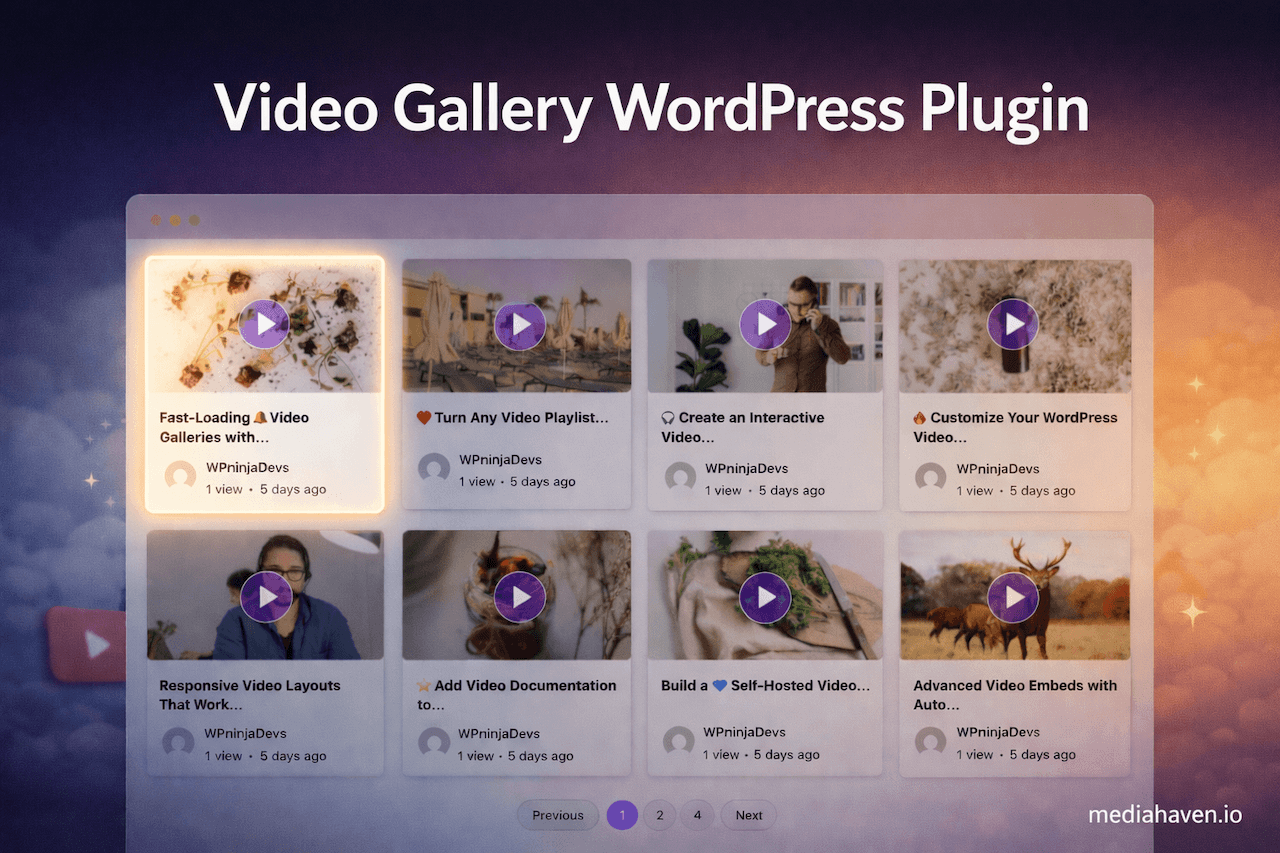
The gallery layouts include Grid, Carousel, and Multi-row Carousel, all fully responsive across devices. Every layout is built with semantic HTML5 and includes schema.org VideoObject markup, meaning your videos can appear as rich results in Google Search.
Performance-wise, MediaHaven uses smart asset loading — plugin scripts and styles are only loaded on pages that actually use a shortcode, not sitewide. Built-in lazy loading, WebP thumbnail support, smart YouTube API caching, and image compression keep page speed high even with large video libraries.
The setup experience is guided by a wizard that walks you through configuration step by step. A Gutenberg block is included alongside shortcode support, making it compatible with every major page builder including Elementor, Divi, WPBakery, and Beaver Builder.
Free features include:
- Unlimited video galleries (no limit on gallery count)
- YouTube channel and playlist feed integration
- Interactive AJAX-based video view counter and like/dislike system
- Keyboard shortcuts for video playback (Space, F, M, arrow keys)
- Video subtitles with multi-language support
- Export and import gallery settings (JSON/CSV)
- AJAX “Load More” for YouTube feeds
- Video categories and tags
- Custom CSS editor
- Google Fonts support
Pro features (MediaHaven Pro):
- VAST video advertising (pre-roll, mid-roll, post-roll, banner, link ads)
- Ajax Live Filter (search, category, tag, duration, resolution filters — no page reload)
- Drag-and-drop video card layout builder
- Interactive video chapters
- WebP image conversion
- Custom player styling (control bar, volume bar, progress bar, play button)
- WooCommerce product video galleries
Best for: Anyone who wants a genuinely powerful, SEO-first simple self-hosted video player to video gallery without paying from day one.
Rating: 5/5
2. FV Player
FV Player is a solid self-hosted video player focused on MP4 and HLS playback. It handles basic video embedding well and has been around for years. However, it doesn’t offer gallery layouts out of the box, has limited YouTube feed support, and lacks the SEO schema markup that MediaHaven includes by default.
Best for: Sites that only need a simple self-hosted video player, not a full gallery system.
Rating: 3.5/5
3. Presto Player
Presto Player is strong on self-hosted video management, offering chapters, email capture on video, and conversion-focused features. It integrates well with LearnDash. The free tier is limited and YouTube channel feeds are not natively supported.
Best for: Course creators using LearnDash who need gated video content.
Rating: 3.5/5
4. YouTube Feed Pro (Smash Balloon)
Smash Balloon’s YouTube plugin is excellent specifically for YouTube. It makes embedding channel feeds and playlists straightforward. However, it only handles YouTube — no Vimeo, no self-hosted HLS, no TikTok. It’s also more expensive as a standalone tool.
Best for: Sites with YouTube-only video content that need a polished, no-code feed.
Rating: 3/5
5. VideoPress (Jetpack)
VideoPress is Automattic’s own video hosting solution bundled with Jetpack. If you’re already on Jetpack, it’s convenient. But it requires Jetpack’s full suite to be active (adding significant overhead), lacks multi-source gallery support, and video hosting costs add up quickly.
Best for: WordPress.com-hosted sites already using Jetpack.
Rating: 2.5/5
Side-by-Side Comparison
| Feature | MediaHaven Lite | FV Player | Presto Player | Smash Balloon |
|---|---|---|---|---|
| YouTube Feed | ✅ | ❌ | ❌ | ✅ |
| Vimeo / TikTok | ✅ | Limited | ❌ | ❌ |
| HLS / Self-hosted | ✅ | ✅ | ✅ | ❌ |
| SEO Schema Markup | ✅ | ❌ | ❌ | Partial |
| Grid + Carousel Layouts | ✅ | ❌ | ❌ | ✅ |
| Lazy Loading | ✅ | ✅ | ✅ | ✅ |
| Smart Asset Loading | ✅ | ❌ | ❌ | ❌ |
| Video Like/Dislike | ✅ | ❌ | ❌ | ❌ |
| View Counter | ✅ | ❌ | ❌ | ❌ |
| Keyboard Shortcuts | ✅ | ❌ | Partial | ❌ |
| Free Gallery Layouts | ✅ | ❌ | ❌ | ✅ |
| VAST Ads | Pro | ❌ | ❌ | ❌ |
Our Pick: MediaHaven Lite (with an Eye on Pro)
For the vast majority of WordPress site owners who need a proper video gallery — not just a basic embed — MediaHaven Lite is the clear winner in 2026. No other free plugin matches its combination of multi-source support, SEO-first architecture, gallery layouts, engagement features (likes, views, keyboard shortcuts), and smart performance optimization.
When you’re ready to monetize your video content with ads, need advanced filtering, or want full design control over your player, the Pro upgrade at mediahaven.io unlocks all of it without requiring a platform switch.
Install MediaHaven Lite free: wordpress.org/plugins/mediahaven-lite
Getting Started with MediaHaven Lite
Installation takes under two minutes:
- In your WordPress dashboard, go to Plugins → Add New
- Search for MediaHaven
- Click Install Now, then Activate
- Follow the setup wizard that launches automatically
- Add your YouTube API key (free from Google Cloud Console) if you want YouTube feeds
- Create your first gallery under MediaHaven → Views
- Copy the shortcode and paste it into any page or post
That’s it. Your first video gallery will be live and SEO-optimized from day one.
Final Thoughts
The WordPress plugin market has plenty of video tools, but most of them solve only one part of the problem — either a player OR a gallery, either YouTube OR self-hosted, either free OR capable. MediaHaven is one of the few plugins that genuinely does it all in the free tier, with a clear and honest upgrade path to Pro features when you need them.
If video is a core part of your WordPress content strategy, MediaHaven is the plugin to start with.
👉 Download MediaHaven for free 👉 See Pro features at mediahaven.io